Volo Site Maps: A New Way to View, Manage & Monitor Your Sites
Simplify access control with Volo Site Maps – upload floor plans, map devices and monitor events in real time for clearer, smarter site management.
Volo Site Maps gives you the power to view and manage access control devices directly from your building floor plans. Doors, controllers, and live events can all be displayed in a visual layout, helping users quickly understand site status and activity at a glance. It’s fast, intuitive, and designed to make managing multi-site or multi-floor estates effortless.
Key Features & Benefits
Upload & Manage Floor Plans
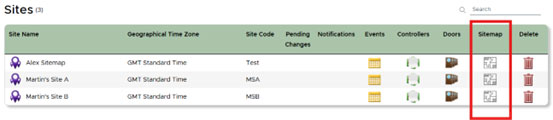
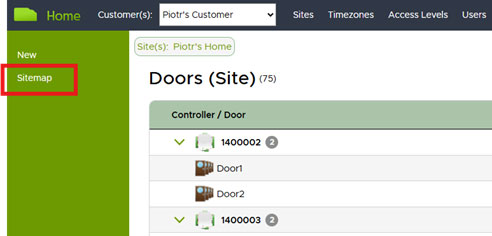
Users can upload up to 10 floor plans per site to build a visual layout of their environment. Each plan can be named, sorted, and organised to align with site structure, helping multi-floor or multi-area locations stay easy to navigate.
Drag-and-Drop Devices onto the Map
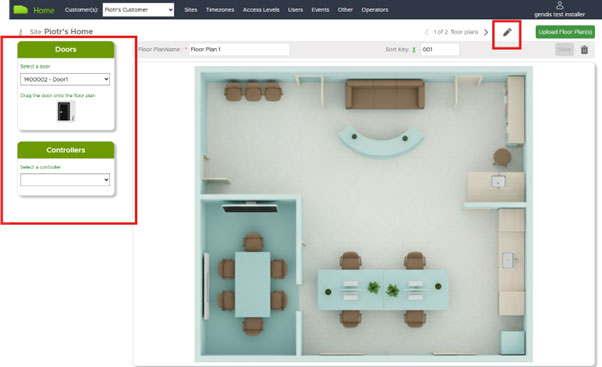
Doors and controllers appear as selectable items. Simply drag them onto the appropriate floor plan and their names or serial numbers automatically display, instantly linking real-world locations with system data.
 Quick Access to Device Information
Hovering over a device reveals its information panel, offering fast access to door or controller details. Individual items can be removed from a floor plan at any time, keeping layouts current and accurate.
Save, Edit & Update Floor Plans
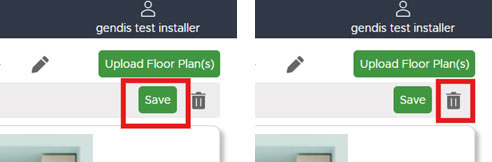
Plans can be edited at any time — from renaming and re-sorting to moving devices or adding new ones. All changes are saved with a single click, ensuring floor plans remain up to date as sites evolve.
Delete & Replace Floor Plans
Floor plans can be deleted as required. Removing a plan automatically returns devices back to the available device list, ready to be repositioned elsewhere. Additional plans can also be uploaded at any stage.
Switch Between Multiple Views
 Site Maps offers flexible viewing options to suit different operational needs:
- Display Mode – standard view for clean visibility
- Multi-View Mode – view multiple plans vertically at once
- Event Mode – show live events alongside the floor plan.Floor plans can be navigated quickly using simple left/right arrows.
Event Tracking & Filtering
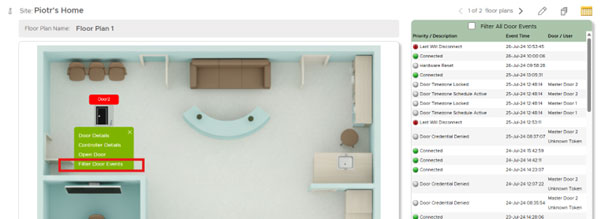
Live door activity can be displayed directly alongside the visual plan, offering valuable real-time situational awareness. Event filtering allows users to:
- View events only for doors shown on the floor plan.
- Highlight fire alarm-related events
- Filter by individual door for deeper insight. This allows users to pinpoint activity fast, reducing search time and improving response.
Find out more...
-
Visit the New VOLO website
-
Cloud vs. On-Premises Access Control: Choosing the Right Solution
-
VOLO Unveils 4G Access Controller with 2G Safety Net
-
VOLO Cloud Access introduces Enhanced Fire Alarm Integration
-
Where to buy VOLO cloud access control in the UK
-
Database Migration for VOLO Cloud Access Control
- VOLO Frequently Asked Questions
VOLO available to order now from CIE
VOLO is available through Value-Added Distributor CIE-Group. CIE provides expert advice and support for security professionals looking to implement VOLO’s cutting-edge access control solutions.
For full details or to arrange a product demonstration, please contact the CIE sales team on T. 0115 9770075 or email [email protected]
Related Products: