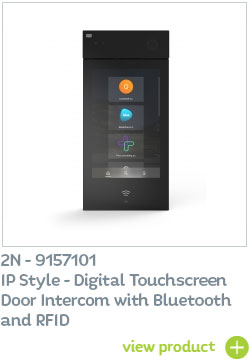
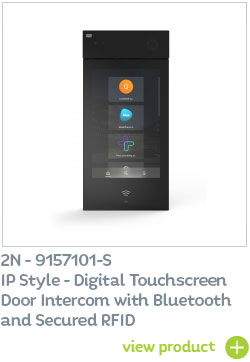
The flagship 2N IP Style Smart Door Intercom now supports temporary and limited-use access credentials via QR Code scanning.

The flagship 2N IP Style door intercom now offers QR Code scanning access control.
QR codes are an ideal temporary authentication key for door entry and access control systems - particularly for visitors, delivery drivers, contractors and staff when access to the building may be restricted to certain times/days or for one-time-only use.
The 2N IP Style is available with a variety of access authentication methods:
- QR Code scanning
- RFID / secured RFID
- Bluetooth
- WaveKey access via smartphone
- Smart Pin Keypad
How to set-up the 2N IP Style QR Code Access Control
Settings: enable the function in the 2N® IP Style web interface: Hardware -> Door -> Entry Rules -> QR code reading
A QR code is assigned to a visitor via 2N Access Commander software, in the Visitors section in the user details. You can find the ‘add QR code’ button in the Credentials subsection. Generate the code with a single click of a button and send it to the visitor by e-mail or text.
The QR code can also be printed out or saved as an image file.
Access with a QR code is recorded in the access logs. You can differentiate it by the icon indicating the various access methods.
What is a QR Code?
QR Codes (Quick Response Codes) are similar to conventional bar codes, but are much more flexible and, due to their 2-dimensional structure, are able to hold much more data.
Find out more about QR Code scanning for access control
How does access control using QR Code recognition work?
Typically for access control via QR codes, the entry system will include PC software or a smart phone App which quickly and easily generates a unique QR code. These QR codes generated can be set to allow access for a limited time period, specific days of the week, limited number of uses and entry limited to specific areas, floors or zones of the building.
Once the QR code has been generated, and sent directly to the recipient (the user who requires temporary access to the building – such as a delivery driver or cleaning staff, for example) for them to display on their smartphone device or print out if required.
A QR code-enabled Door Intercom device (in this case the IP Style), features a scanner (in the form of a built-in camera); the user simply displays their unique QR code from their smart phone to the access control device, the QR code is automatically scanned to confirm or deny access rights. Once the code is confirmed the door opens to allow access.
How to generate a QR code for the 2N IP Style
You can generate QR codes in three different ways.
- Via the intercom’s web interface – go to the Users section, select a user and click on the QR code icon in the user codes section. You can download the generated code immediately and send it to the user.
- In 2N Access Commander – software, which we call the central hub of the whole access control system. The generation and distribution of QR codes is more systematic and convenient here.
- Using third-party QR code generators – the only condition here is that they support the generation of PIN codes from embedded digits 10-15 characters in length.
Find out more…
Available to order now from CIE
Available now from 2N UK distributor CIE-Group, the 2N IP Style range combines the best of IP intercoms and IP cameras.
For full details or to arrange a product demonstration, please contact the CIE sales team on T. 0115 9770075 or email [email protected]
Related Products: