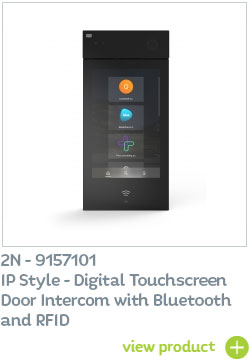
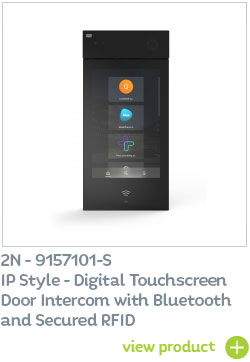
The 2N IP Style’s new operating system (version 2.37) has made the display API available! In combination with other supported API functions, this means you can now create your own unique graphical display interface to meet the needs and branding of your building / client.

How does the GUI API interface work?
• Your specified third-party application will send an image to the intercom through the API.
• The IP Style door intercom‘s display responds to touch and calls upon your connected application.
• The application receives information about where you touched the display and sends a new image, or it can use the intercom’s API to perform other actions such as making a call, turning on a switch, or taking a picture with the camera.
What are the requirements?
- A constant connection to the platform that your application runs on is necessary.
- You (or your digital team) will need to create your third-party application.
- The user manual provides a clear explanation of how to use the display API.
How to customise your 2N IP Style IP door intercom without coding
You can also customise the 2N IP Style video intercom using traditional settings in its web interface – and there are lots of different options: –
-
Display in idle mode – choose from three modes: Presentation mode, Logo mode pr Address mode. - Presentation mode – up to 8 images that you upload to the device will be displayed in sequence.
- Logo mode – in which the company logo will appear on the display.
- Address mode – you can add a time and weather display.
- Language – you can set the language of the text on the display. Choose from a range of 16 languages!
- Home screen display – modifying the directory listing is very popular. You can choose between classic design and large tile view, which is ideal for office buildings where multiple companies reside as you can display large company logos on the tiles.
- Customise the keypad – you can change the way the keypad looks and whether to display it at all. You can also make the intercom respond to touch with sound, or you can even customise the background image. You can also customise other details such as user sounds. (For a complete list, see the display setup manual).
The entire Automation section offers you the option to tailor the behaviour of the IP Style to any scenario the customer can think of.
API for 2N Verso Door Intercom now also available!
2N has also opened up the API to it’s best-selling 2N IP Verso modular intercom, allowing for even greater flexibility and creativity for your branded door entry system.
Find out more...
Available to order now from CIE
Available now from 2N UK distributor CIE-Group, the 2N IP Style range combines the best of IP intercoms and IP cameras.
For full details or to arrange a product demonstration, please contact the CIE sales team on T. 0115 9770075 or email [email protected]
Related Products: