


Is your AV device Firmware up-to-date?
Make sure that all firmware in regards to HDMI distribution, Source and Sinc are 100% up-to-date, you might find that one of your devices doesn’t support such protocols such as HDMI 2.0, HDR and/or HDCP 2.2 until you do.
Test the highest resolution your AV system supports:
Use the pattern generator functionality of the XA-4 or XA- 2 Pattern Generators and input the highest possible resolution that your system supports, and then analyse from another XA-4 in analyser mode at the Receiver side. Make sure that you’re bypassing the output resolution and that you have copied the EDID information of the panel you’re using otherwise you may find it difficult to replicate the error.
Alter the output resolution and timing:
Now gradually reduce the output resolution and timing of the XA-4 in pattern generation mode – your picture may now stabilise.
Cable testing & clock data errors:
Swap out and test the HDMI cabling using the XA-4 Clock Error Data counting tool and, when necessary, run a fly cat cable when using HDBaseT and IP/Cat over HDMI devices to try and resolve an easy issue or highlight a larger error.
Are your cable lengths within range?
Check your HDMI and Cat cable lengths are in range of what’s being advertised by your manufacturer and use appropiate extenders where possible.
Remove any cable ties and bundled cabling:
Cut out any visible cable ties especially ones compromising the integrity of the cable by over compressing it which has been the number one cause of picture intermittence for 2016, reduce bundling and patch panels where possible, because these 3 practices all induce electromagnetic interference within your CAT cable infrastructure.
So make sure you’re cabling is conforming to HDMI and/or HDBaseT directive.
HDMI Fault Finding -Test the Inputs & Outputs of devices:
Change the HDMI output and/or Input of your HDMI splitter, distribution amp or Matrices to see if the problem moves or not. If the problem doesn’t move you may be experiancing a hardware failure.
Test your receiver
Change out the receiver if you’re using HDBaseT, HDMI over Cat or IP and see if the problem resolves.
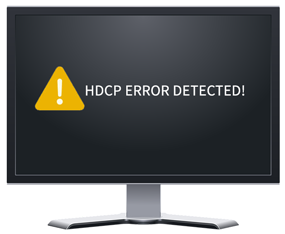
Test for HDCP errors:
If you’re experiencing a green screen, you might be experiencing HDCP issues.
On the XA-4 setup toggle between No HDCP, HDCP 1.4 and HDCP 2.2 and see if you can replicate the issue.
Test the EDID data of devices:
If your panel is behaving erratically where others in its place are working as expected, copy the EDID of the offending panel so you can do further testing in another location or send it to the manufacturer and change the EDID pattern of the XA-4 on the analyser side and see if the problem resolves to confirm an EDID error.
Pink overlay issues:
If you’re experiencing a pink overlay, the panel you’re using may not support YUV colour space. On the XA-4 firstly change the colour space output when working as an analyser to RGB.
HDMI Troubleshooting - HDMI port issues:
If the XA-4 is flashing in regards to the HDMI handshake particularly the 5v indicator and/or simply having the XA-4 inline in front of the panel stabilises the offending issue, there might be a problem with your panel or source’s HDMI port.
EDID and HDCP inconsistencies:
If you suspect that there is an inconsistency in regards to EDID, HDCP and/or an HDMI input or Output and the XA-4 identifies one or all these issues, try using the XA-HDCP that provides EDID and HDCP management and also acts as an endsink before the panel, which could economically stabilise your sight issues.
IP lock-up issues:
If you’re suffering IP lock-up in regards to a presentation switch or matrices, try removing any control system that may be causing the error and or one by one removing any internet enabled device that is on the same network that could be potentially flooding the system causing devices to act erratically.
Factory reset or manufacturer support:
If you have localised the issue and deem to be suffering from a hardware or software failure, finally attempt a factory reset on your AV installation and if this still doesn’t help, contact your distributor and organise an RMA for the offending device.
