


 Direct Paging InterfaceBT-5View product
4727
STORE/FORWARD ZONING INTERFACE
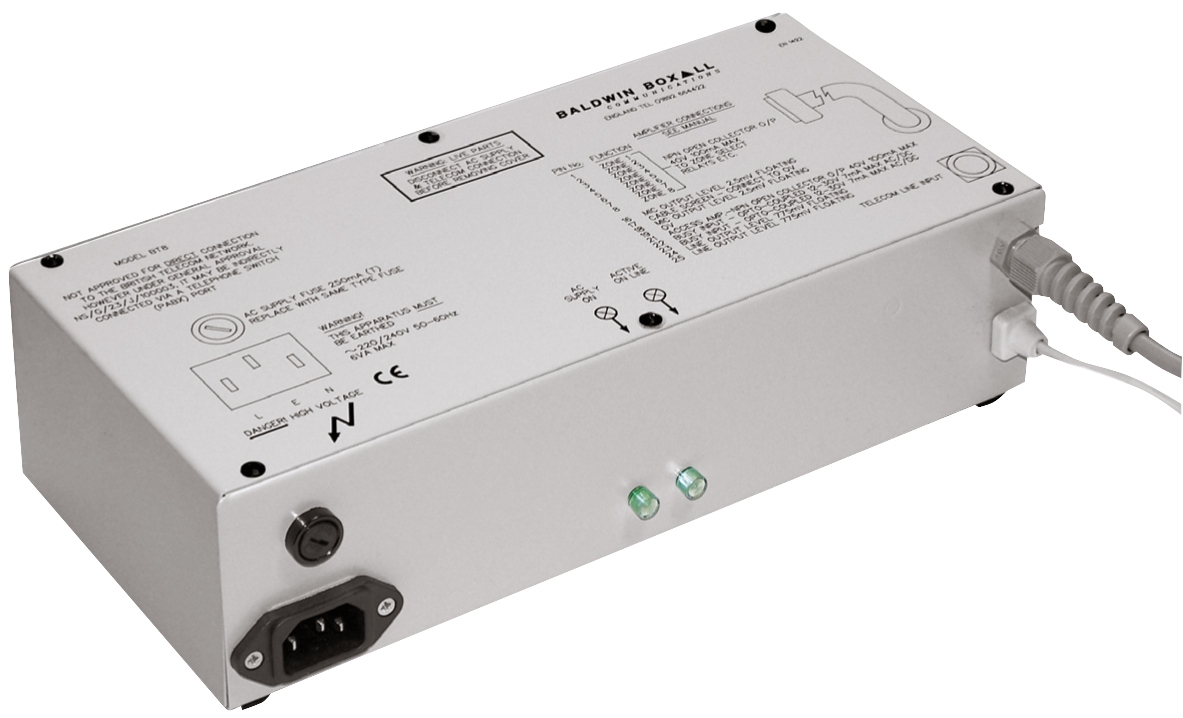
The BT-8 is a Store/Forward Zoning Direct Paging Interface which enables staff to make public address announcements from the comfort of their own desk telephone.
- Operated by simply dialing the BT8 extension number
- Supplied with an IEC mains lead
- Can be used to broadcast live announcements
- Additional facility enables the user to pre-record an announcement. This reduces the risk of feedback where the telephone is adjacent to a loudspeaker
- When connected to a telephone system with MF signalling, the BT8 enables the user to select up to eight zones via the telephone keypad
- An internal selector determines if the recorded message is played once or twice
- Can be wired into any two-wire analogue extension port via a designated master extension socket
- Another option is to connect the unit to the paging port available on most modern telephone switches. However, they are not designed to operate on keyphone system extension ports
- Outputs are selectable from line or microphone level
- Signal output and zone select connections are via a 25 way D connector
- Compatible with our BDM300 range of desk microphones (connected via the BMS25 socket box supplied with the microphone)
- We recommend using our B81R relay unit for the zone select switching
Features
Operated by simply dialing the BT8 extension number
Supplied with an IEC mains lead
Can be used to broadcast live announcements
Additional facility enables the user to pre-record an announcement. This reduces the risk of feedback where the telephone is adjacent to a loudspeaker
When connected to a telephone system with MF signalling, the BT8 enables the user to select up to eight zones via the telephone keypad
An internal selector determines if the recorded message is played once or twice
Can be wired into any two-wire analogue extension port via a designated master extension socket
Another option is to connect the unit to the paging port available on most modern telephone switches. However, they are not designed to operate on keyphone system extension ports
Outputs are selectable from line or microphone level
Signal output and zone select connections are via a 25 way D connector
Product Description
The BT-8 is a Store/Forward Zoning Direct Paging Interface which enables staff to make public address announcements from the comfort of their own desk telephone.
The free-standing unit acts as an interface between the analogue telephone system and the PA.
Both the BT-5 & BT-8 free standing units allow staff to dial into the Public Address (PA) system from their desk. The BT-5 & BT-8 act as a network between the telephone system and the PA and allows each individual with the opportunity to contact other members of staff or to make general announcements. This avoids contact to a busy reception/switchboard with a request to put a call out.
To Install the units, simply connect to a PA amplifier and an available telephone extension socket (BT5) or a building’s telephone exchange (BT8). A paging announcement is available by simply dialling into the unit’s extension.
Please note: the BT8 is not approved for direct connection to the BT network. Under general approval NS/G/23/J/100003 it may be connected to a port on a telephone switch (PABX). This unit should only be used with a switchable amplifier input.
CASE STUDY
Twinings Tea – PA and Background Music Rack Design and Build
Specification
Downloads
Are you looking for more information on this product?
Related accessories and products...
Alternative products...
Direct Paging InterfaceBT-5View productSpeak to a member of our team
today!
We would be happy to answer any of your questions and help you to get to know the Indoor Touch 2.0 Touchscreen Digital Intercom Answering Panel.
If you would prefer, simply give us a call on:
Related resources

Video & Blogs

Projects

FAQs

Resource Hub