New My2N app updates designed to make everyday life easier
Imagine you’re at work when a parcel arrives at your home. Or you’re out for a walk when a friend turns up at your door. Normally, you might miss your delivery or have to rush home.
With the My2N App, you can manage your building’s door access straight from your smartphone, wherever you are.
And thanks to the latest updates, you now have even more control over your home, visitors and deliveries. But what does that mean in practice, and what’s new in the My2N App?
The new features that make everyday life easier:
Manage who has access to your apartment
If you’ve been given the Apartment Admin role, you can manage the people who have access to your apartment without having to ask the building manager each time.
You can:
- Add or remove residents from your apartment.
- Manage who can use their phone to unlock doors.
- Set up intercom calls for residents.
- Create PIN codes for door access.
- Update your apartment details.
Never worry about missing a delivery again
We’ve all been there. You’ve ordered something online, but the delivery is due while you’re out. With the My2N App’s new Courier Pass feature, receiving parcels can be much easier.
You can create a temporary PIN code or QR code for a delivery driver to use at your building’s entrance.
Simply share the code in your delivery instructions or give it to the driver when they arrive.
You can also choose how long the code works. Once that time has passed, it automatically expires.
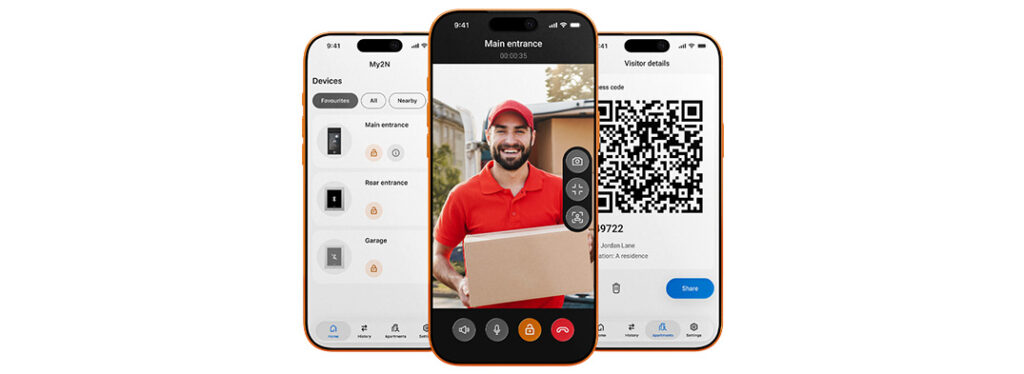
Enjoy free intercom calls to your mobile
Wouldn’t it be useful to answer your building’s intercom on your mobile, without worrying about extra calling costs?
With eligible new installations, intercom-to-mobile app calls are free for the lifetime of the unit. Meaning you can receive video intercom calls on your smartphone and see who’s at the entrance, whether you’re relaxing at home, at work or away for the weekend.
Each eligible indoor unit provides a free apartment calling licence for up to four mobile devices.
Get doorbell alerts on your Apple Watch
Ever missed someone at your door because your phone was in your bag or pocket?
The My2N App can now send intercom call notifications directly to your Apple Watch.
When someone rings your building’s intercom, you’ll receive an alert on your wrist. You can then pick up your smartphone to see who’s calling, speak to them and decide whether to let them in.
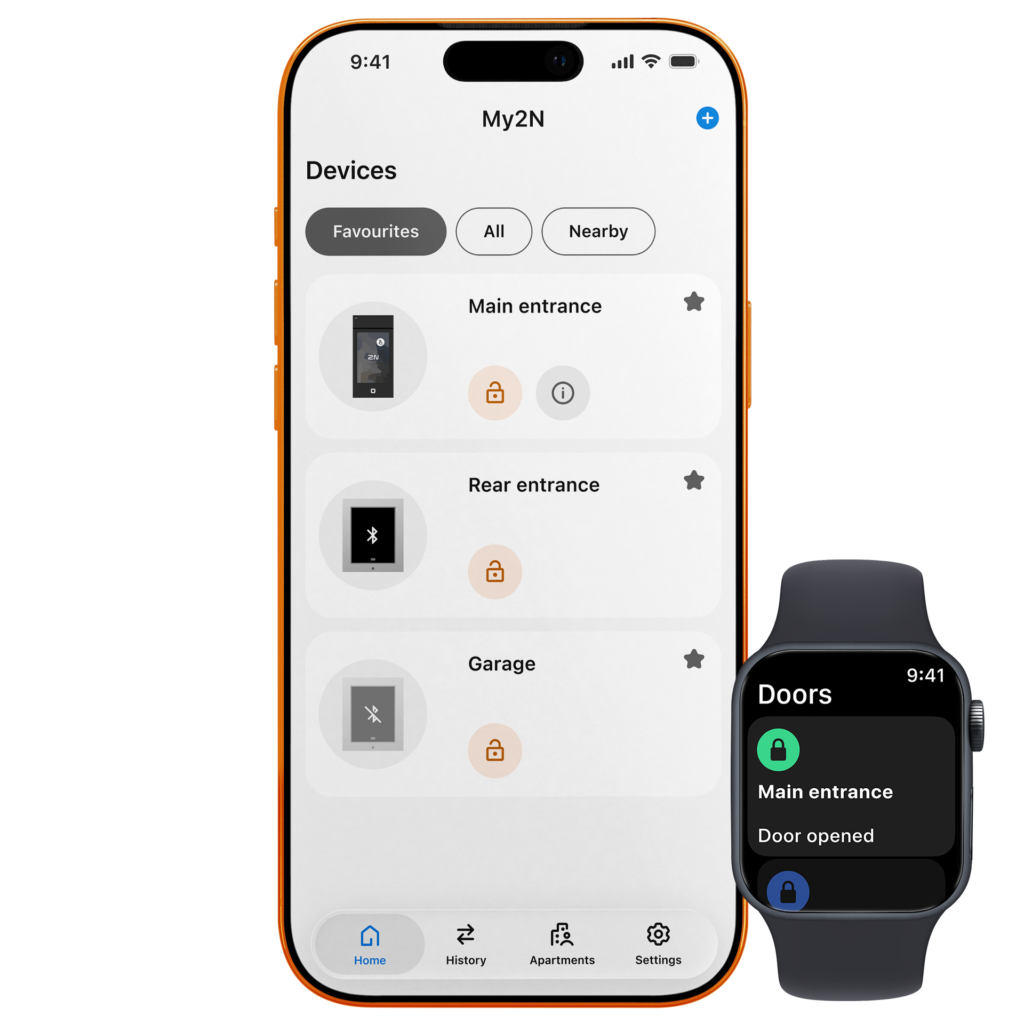
You can also use a compatible Apple Watch to unlock doors without needing to take out your phone.
Please note: Apple Watch currently supports call notifications, but you’ll still need your smartphone to answer an intercom call.
A fresh new look that’s easier to use
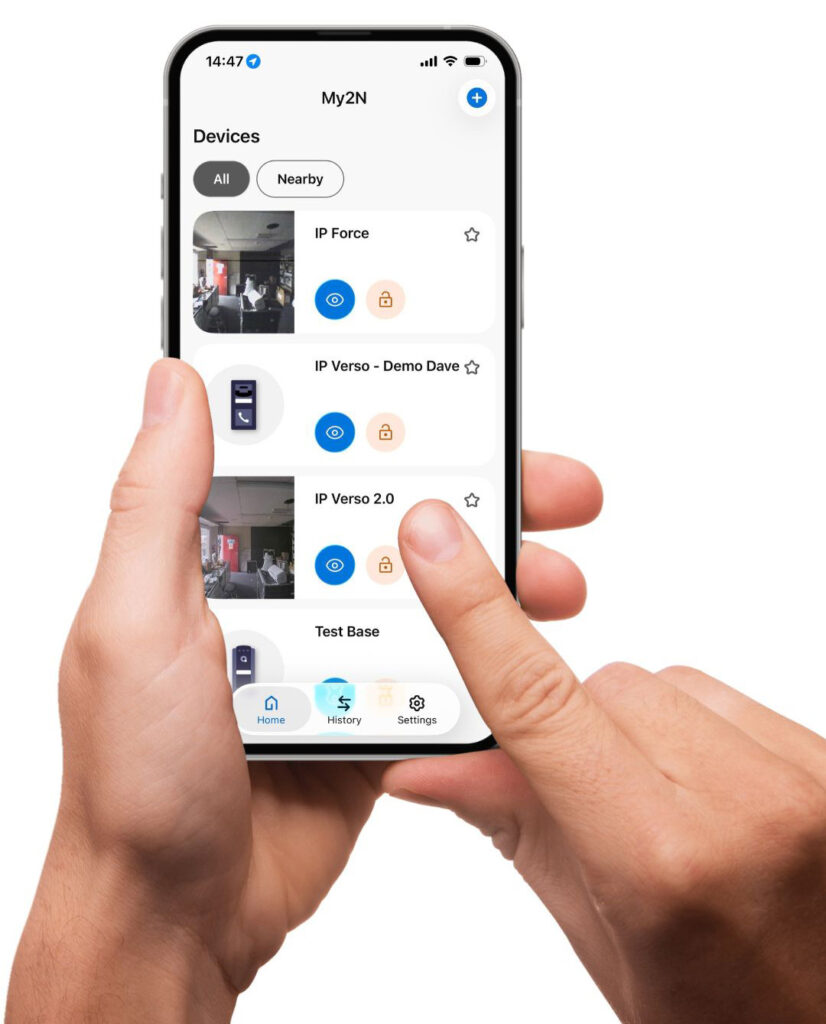
The My2N App has also received an updated design, helping you manage access and intercom calls in one place.
Whether you’re unlocking a door, checking who’s visited or managing guest access, the app is designed to make everyday tasks simple.
And there’s plenty more you can do:
- See who’s at your door: Receive video calls from your building’s intercom and speak to visitors before letting them in.
- Give guests temporary access: Create PIN codes or QR codes for friends, family or cleaners. Choose when their access starts and ends.
- Check missed calls: View your intercom call history, including a picture from each call, so you can see who’s been at your entrance.
- Keep an eye on your entrance: Use the live video view to check what’s happening outside your home, even when you’re away.
- Unlock doors with your phone: Use your smartphone as a digital key, so you have one less thing to carry.