



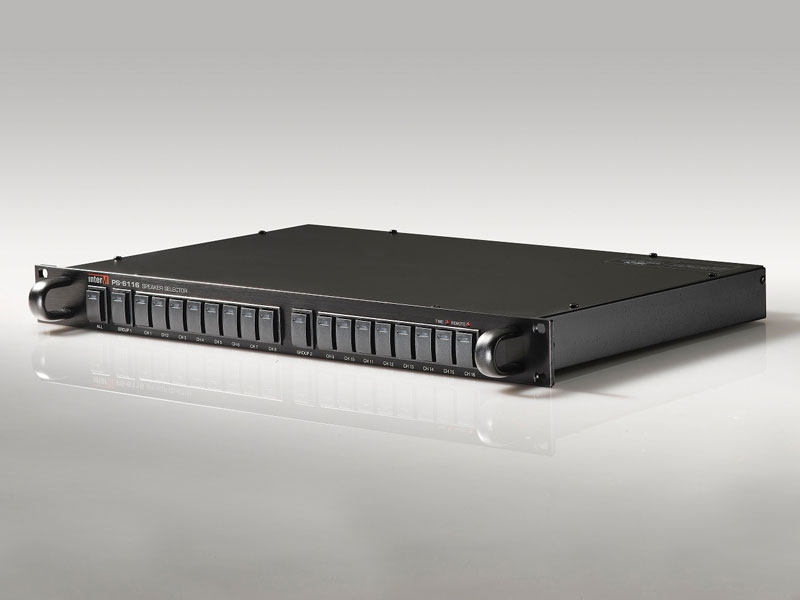
SPEAKER SELECTOR
The new Inter-M PS-6116 Speaker Selector allows the selection of up to 16 individual Loudspeakers/zones fed by a 100v amplifier or 2 groups of 8 Loudspeakers fed by 2 separate amplifiers.
- 16 Individual zones
- Timer and Remote LED indicators per channel
- Remote control of 2 x 8 groups via voltage-free contact
- 24v DC powered
- 1U high, 19 inch rack mounting
- 16 Zone Speaker Selector (All Call, Group 1, Group 2, Ch1-16)
- Easy Confirming
- All Switch
- Group 1, Group 2 Switch
Features
Product Description
The new Inter-M PS-6116 Speaker Selector allows the selection of up to 16 individual Loudspeakers / zones fed by a 100v amplifier or 2 groups of 8 Loudspeakers fed by 2 separate amplifiers.
Loudspeakers/zones are selected using switches with built-in LED indicators or groups can be activated via voltage-free contacts on the rear.
Integrated into 100v line Public Address / background music systems, the Inter-M PS6116 provides quick and easy control of zone outputs.
Features:
16 Zone Speaker Selector (All Call, Group 1, Group 2, Ch1~16)
19 push type selector switches are provided to enable you to select 16 zone speakers individually or totally.
Easy Confirming
You can confirm selected zone and the operating mode of system by using label holder and indicating LED on the front panel.
All Switch
You can select all zone speakers use by one switch.
Group 1, Group 2 Switch
You can select group 1 speakers(CH1-8) or Group 2(CH9-16) by individual group switches.
1. All Switch
You can select the all speakers at a time by using this switch.
2. Group 1, Group 2 Switch
You can select the group 1 speakers or group 2 speakers at a time by using these switches.
3. Operating Mode Indicators
These indicators show operating modes of system.
- Timer: It shows that the system is operated by timer.
- Remote: It shows that the system is operated by remote control equipment.
4. 1-16 Speaker Selector Switch
You can select the group 1 speakers or group 2 speakers at a time by using these switches.
1. DC Input Terminals
These terminals are for connection to DC 24V power source.
2. 16 Speaker Output Terminals
These terminals are for connection of speaker lines to deliver power output to speakers. Be careful not to change the Hot and Common Lines.
3. Amp Input Terminals
These terminals are for connection to speaker output of power amplifier. Be careful not to change the Hot and
Common Lines.
4. Remote Control Terminals(All, Group 1, Group 2)
You can select the the all speakers, Group 1 speakers or Group 2 speakers by these remote control terminals.
5. Timer, Remote Control Indicator Terminals
These terminal are for connection to indicator output terminals of timer or remote control equipment.
Specification
Downloads
Are you looking for more information on this product?
Related accessories and products...
Alternative products...
Speak to a member of our team
today!
We would be happy to answer any of your questions and help you to get to know the Indoor Touch 2.0 Touchscreen Digital Intercom Answering Panel.
If you would prefer, simply give us a call on:
Related resources


