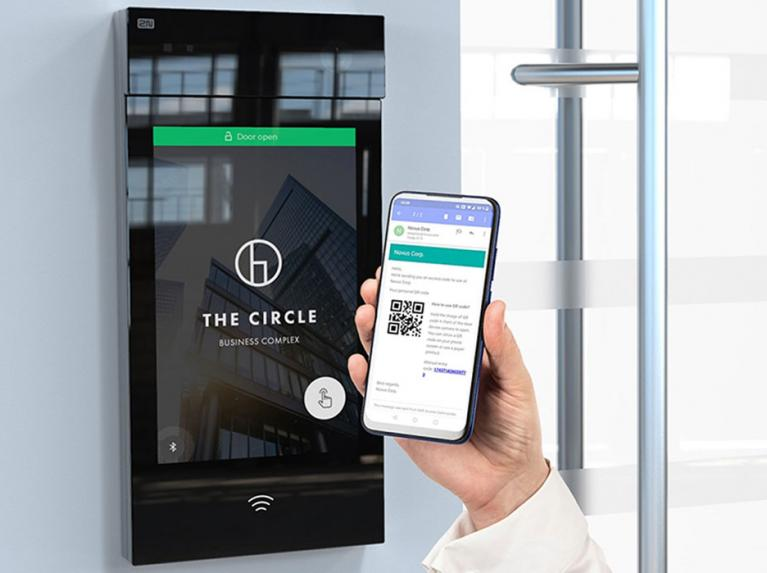
Lost RFID cards? Misplaced key fobs? Stolen keys?
With Akuvox Apple Wallet Access, they could become a thing of the past.
No separate card to carry. No fob to remember. Just a simple, secure and convenient way to access your building using a device that is already part of everyday life. Akuvox has made everyday building access even more convenient with the introduction of Apple Wallet access for SmartPlus app users*.
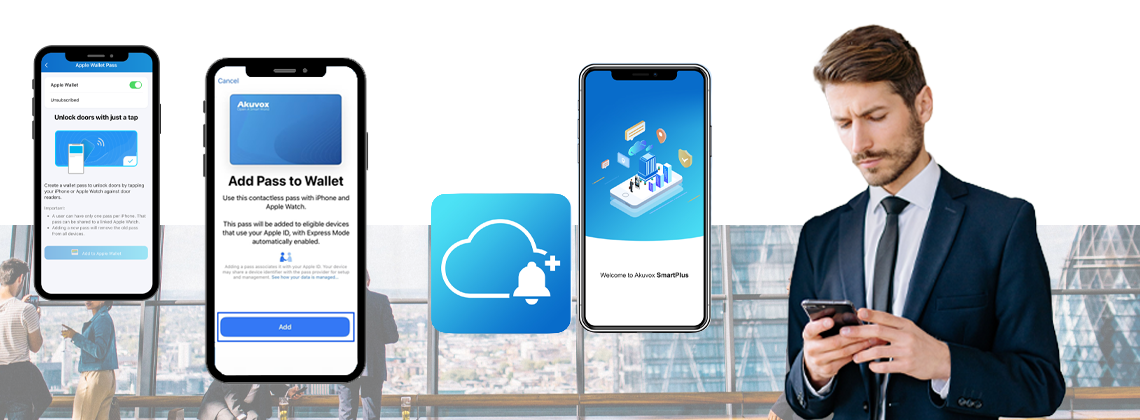
Your iPhone or Apple Watch becomes your access credential
Once Apple Wallet access has been enabled, and the credential has been added through the Akuvox SmartPlus App, opening an authorised door is straightforward.
Simply hold your iPhone or Apple Watch near the supported door reader.
Akuvox also enables Express Mode by default when the credential is added. With Express Mode, users can present their device to the reader without first unlocking their iPhone. If Express Mode is disabled, the phone will need to be unlocked before it is presented to the reader.
It creates a familiar contactless experience for people who already use Apple Wallet as part of their everyday routine.
Convenient for Residents, Controlled by Property Managers
Property managers can easily enable Apple Wallet for residents and control which doors they are allowed to use through the SmartPlus Cloud portal. Door-opening activity can then be viewed through the platform’s door logs, including filtering events by the Apple Wallet action type.
This makes the feature useful for residents and for property managers looking to offer modern mobile credentials while continuing to manage permissions centrally through SmartPlus.
The feature isn’t limited to residential developments.
Akuvox also supports Apple Wallet credentials within Smart Access commercial projects, allowing authorised personnel to use an iPhone or Apple Watch to enter permitted areas.
Installers, project managers and administrators can enable the feature for personnel through the Smart Access Cloud portal. Access events can also be reviewed through the system’s door logs.
For offices and other commercial environments, this provides another credential option alongside the access methods already available through the Akuvox ecosystem.
How do you add an Akuvox credential to Apple Wallet?
For the end user, setup is designed to be simple.
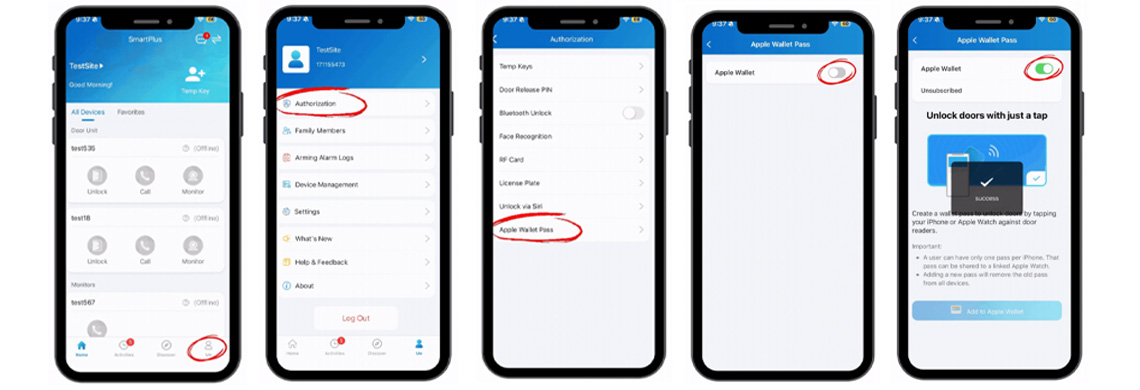
Once their installer, property manager or administrator has activated Apple Wallet access for their account, the user opens the Akuvox SmartPlus App and goes to:
Me > Authorisation > Apple Wallet Pass > Add to Apple Wallet
A simpler way to arrive and unlock
With Apple Wallet support, Akuvox is giving residential and commercial users another convenient way to interact with their access control system. Add the credential to Apple Wallet, approach an authorised door and present your iPhone or Apple Watch to the reader.
No separate access card to find. No additional credential to carry.
For installers and property managers already using the Akuvox SmartPlus ecosystem, Apple Wallet access is a significant new option for delivering a more seamless, mobile-first building access experience.
*Akuvox specifies this is available with the latest Akuvox SmartPlus version with supported iPhones running iOS 17 or later, Apple Watch support requires watchOS 8.0 or later.
Let the CIE system design team help with your next access control project
For more information on the new Akuvox Care range, contact CIE-Group today and enhance your organisation's infrastructure; please call the team on T. 0115 9770075 or email [email protected]