


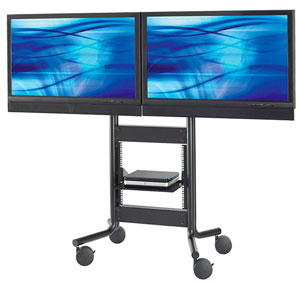
Single source signals displayed on multiple screens is often used in multi-screen digital signage and in the high street retailers where the same movie or TV channel might be playing on all televisions to allow the customer to compare pictures.
This same technique can also be used in the home environment where, for example, the user might wish to display the same Source (DVD / Blu Ray player, etc) on 2 or more screens – such as the living room and kitchen.
Using an AV Splitter (or AV Distribution Amplifier)
The device used to achieve this is called a Splitter or Distribution Amplifier, which is likely to feature 1 Source Input (such as a single HDMI In) and a number of duplicate outputs (for instance 4 HDMI Out) – which will allow for the same picture and audio to be outputted simultaneously on up to 4 HDMI screens, televisions, projectors or a mixture of all.
Remember! this is simply a duplicate signal – so if the channel gets changed in the living room, it’s also going to change in the other room(s) connected too!
 How do I duplicate the output from my DVD player to more screens?
You’ll often see digital signage and TV retailers displaying the same duplicated signal on a number of screens or TVs together; the HowToAV Team show you just how easy it is to achieve…
We have some really easy options for you to show the same movie or TV show on any number of TVs or display screens..
Commercial use
In the commercial market, examples of this are often seen in multi-screen digital signage and we’re also used to seeing this done in the high street TV retailers where the same picture is displayed on all the TVs, allowing you to compare the pictures of each product.
And what they’re using is a called a ‘Splitter‘ (sometimes also known as a ‘Distribution Amplifier‘)
This model we have here is a ‘1 In / 8 Out’ version for HDMI.
So you would simply connect the HDMI from your DVD player to the HDMI input of the Splitter; and then connect up to 8 HD screens to each of the Splitter’s HDMI outputs.
The result will be exactly the same HD video and audio to each of your 8 screens or televisions.
Domestic use
But Splitters aren’t limited to commercial display applications and are now often being used in home entertainment applications too.
Perhaps youre lucky enough to have a larger than average living room with 2 TVs where you’ll want to play the same film?
Or perhaps you want to distribute your Sky TV or BluRay to additional rooms such as the kitchen or bedroom without the added costs of ‘multi-room’ licences.
However! – do remember that this is simply a duplicate signal – so if you’re using an AV Splitter in the home…
…if the channel gets changed on the Sky Box downstairs – its going to change upstairs too!
But it’s a great, simple to install solution where you’re looking to display the same audio and video signal on multiple screens.
Splitters are available in a number of different variants, from a simple 1 In – 2 out to 2 In – 8 Out versions effectively offering simple matrix switching functionality.
And you’re not limited to just HDMI signal duplication, with Splitters available for VGA, DVI, DisplayPort, SDI and more… So if it’s one audio video signal you’re looking to display on multiple screens = then a Splitter (or Distribution Amplifier) is the solution!

