


Sending AV sources to different screens
As the number of AV devices increases in our homes (iPad, smart phone, Sky TV, PS3, Xbox, perhaps TV’s in more than one room) there is an increasing number of home entertainment systems becoming comparative to the multi-channel, multi-screen systems of the commercial AV industry.
The same principals and technologies can be applied to manage, control and distribute all these devices; both in commercial and residential AV applications.
 How do you send AV sources to lots of screens?
Most TVs and commercial screens will be limited to just 2 on-board HDMI inputs.
But if we want to connect more HDMI devices (BluRay, Apple TV, Sky Box and PS3, for instance) without having to switch cables around when we want to switch devices, then a simple HDMI Switcher is going to provide the answer.
A 4-way HDMI Switcher has 4 HDMI inputs (to connect all 4 source devices) and a simple HDMI Output to connect to your display screen, projector or TV.
You can switch between source devices either from the buttons on the front of the unit, using an infrared remote controller, or in many cases your Switcher will support RS-232 control to integrate with third-party automation control systems such as Control4, Savant, Creston or AMX, for instance.
Can it be taken a step further?
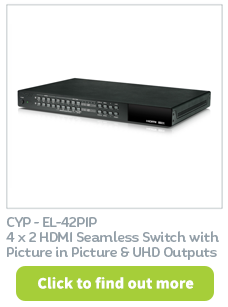
If there are multiple source devices and multiple output displays in the same system, this now requires an AV Matrix.
An AV Matrix allows us to simultaneously connect a number source devices to a number of display devices; and quickly and easily switch which source we wish to display on each screen. (suchas BluRay to screen 1, AppleTV to screen 2, Xbox to screen 3, etc.)
Alternatively, an AV Matrix will allow the same device to show on multiple screens. Or one of the source devices can be displayed simultaneously to all 8 outputs.
As the requirement to control more and more deivces continues to increase; with a wide range of signals, you’ll now find professional Matrix products on the market with anything up to 32 inputs and outputs. This can control not just HDMI, but also other AV standards such as VGA, DVI and SDI.
AV signals can now be transmitted over greater distances using the emerging HDBaseT technology. HDBaseT Matrices are now becoming commonplace for commericial and residential multiple AV singal distribution.

