


Connecting analogue VGA signal from your PC to your digital HDMI display isn’t quite as simple as a one cable connection. However we have some fast and easy solutions to get your PC signal displaying on your HD screen.
Converting PC Signal to HDMI
Though the majority of latest edition PCs and laptops now on the market feature a HDMI output (a relatively recent standard addition), so many legacy PC devices will only feature a VGA video output – or perhaps DVI if you are lucky.
If you are looking to connect your legacy PC or laptop to a modern HD screen – which may only offer HDMI inputs, or if your TV/screen’s VGA connector is already connected to a different video source, or you need to connect your VGA output PC to a HDMI switcher or matrix; then you are going to need to connect your analogue VGA signal to a digital HDMI signal. The solution to this is simple enough – you’re going to need a ‘VGA to HDMI Converter’ also known as ‘PC to HDMI Converter’. There are a huge range of professional and consumer devices available on the market – some which are also capable of converting component or composite analogue signals to a digital HDMI output. With regards to converting VGA, it’s important to remember that a computer’s VGA signal is VIDEO ONLY, the audio signal is on a separate output. HDMI of course is a combined video and audio signal and so a VGA to HDMI converter will allow the VGA and audio signals to be inputted separately, but will then combine the two as a single output from the HDMI.
A professional analogue to digital converter, won’t just combine and convert the signals, but will also provide scaling of the video signal to ensure the best video performance on your HD display. So you need to be looking for a converter which can support up-scaling of your VGA signal to 720p and 1080p resolutions. So whether you’re connecting your PC or laptop to your HD television or integrating PC data into multi-screen, multi-channel High Definition digital signage system – a simple analogue to digital converter makes light work of the job for you.
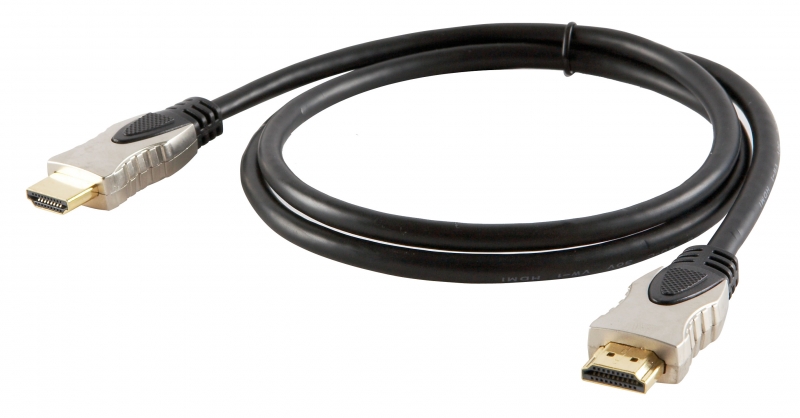 What is a HDMI?
HDMI stands for High Definition Multimedia Interface and is the most frequently used HD signal for transferring both high definition video and audio over a single cable.
HDMI is used both in the commercial AV sector and is the most used cable in homes connecting devices such as digital TV, DVD player, BluRay player, Xbox, Playstation and AppleTV with the television.
More and more home AV devices are being connected using this simple, effective cable, but now HDMI is also featuring on laptops and PCs and therefore becoming the standard for the corporate and commercial markets – for education, presentation, digital signage and retail display.

